How to Start an Online Store in 2026 (Step-by-Step Guide)
A complete, no-fluff guide for 2026: pick your niche, choose the right platform, set up payments, build your brand, launch, and drive your first sales — without writing a single line of code.
The CartQu Team
E-commerce Specialists

Starting an online store in 2026 is easier than ever — yet most beginners feel overwhelmed by choices. This guide walks you through every step, from validating your idea to your first sale, without technical jargon or hidden costs.
By the end of this article you will know how to:
- Pick a profitable niche that fits your budget
- Choose an e-commerce platform that scales with you
- Set up secure payments and worldwide shipping
- Launch your store in a weekend — for free
- Drive your first sales without paid ads
Whether you want a side income or a full-time business, this playbook is everything you need.
Why 2026 is the Perfect Year to Start
Global e-commerce is projected to exceed $8 trillion in 2026, and the barrier to entry has never been lower. Three shifts make this the best moment in a decade:
- Free platforms are finally usable. Modern tools like CartQu let you launch a fully-featured store without paying a cent upfront — no transaction fees on the free plan.
- Payment gateways are universal. You can accept cards, Apple Pay, and regional methods like PayTabs or MyFatoorah in minutes — not weeks.
- AI shortens every task. Product descriptions, marketing copy, and even logos can be generated in seconds.
The question is no longer “can I build a store?” — it's “what will I sell?”
Step 1: Choose Your Niche & Products
The biggest mistake new founders make is trying to sell to everyone. The stores that succeed are laser-focused. Use the three-circle test below — your niche should sit at the intersection of passion, profit, and proof.
The Three-Circle Test
- Passion — do you care enough to post about it every week for a year?
- Profit — is there at least 40% margin after product and shipping costs?
- Proof — are competitors already selling? (Yes is a good sign — it means demand exists.)
Validate With Real Data
Before committing, check demand with free tools:
- Google Trends — look for stable or rising interest over 12 months.
- Keyword tools (Google Keyword Planner, Ahrefs free tools) — aim for 1,000+ monthly searches with low competition.
- Amazon / Etsy best-sellers — the top 100 tells you what's already converting.
- Social listening — search your niche hashtags on TikTok and Instagram. High engagement = buyer intent.
Step 2: Validate & Register Your Business
You don't need an LLC on day one — but you do need a plan. Before you start spending on inventory or ads, answer these five questions on a single page:
- Who is my exact customer (age, location, problem)?
- What problem does my product solve for them?
- What are my top 3 competitors, and how am I different?
- What's my target average order value?
- How will the first 100 customers find me?
Once you have answers, formalize the basics:
- Register your business (sole proprietorship is fine to start in most countries).
- Open a separate bank account — never mix personal and business money.
- Check tax requirements — most countries require VAT registration only after a certain revenue threshold.
Step 3: Pick the Right E-commerce Platform
Your platform is the engine of your store. The wrong choice will cost you thousands in migration later. Here's what actually matters:
| Criteria | Why It Matters |
|---|---|
| Cost to start | Free tier matters when cash is tight. |
| Transaction fees | 2% on $100k/year is $2,000 — every year, forever. |
| Payment support | Missing a regional method (e.g., Apple Pay, PayTabs) kills conversions. |
| Multi-store | You'll want a second brand sooner than you think. |
| Speed & SEO | Every 1s of load time drops conversions by ~7%. |
| No code required | Your time is better spent on marketing than on CSS. |
Popular Platforms Compared
Three categories dominate the market in 2026:
- Self-hosted open source (WooCommerce, Magento) — powerful but requires hosting, security, and technical skill.
- Hosted paid SaaS (Shopify, BigCommerce) — polished but pricey ($29–$299/month) with transaction fees on top.
- Free-tier SaaS (CartQu, Ecwid) — a true free plan, upgrade only when you scale.
For most beginners, a free-to-start SaaS platform is the smartest choice. You remove the “is this worth it?” question — and you can always upgrade when revenue justifies it.
Step 4: Build Your Brand & Store Design
Your brand isn't your logo — it's the feeling customers have after five seconds on your site. Three elements do 80% of the work:
Brand Name & Domain
- Short (≤12 characters), memorable, easy to pronounce in any language.
- Check trademark databases in your top markets.
- Secure the
.comand social handles at the same time.
Visual Identity
- Pick 2 primary colors + 1 accent — no more.
- Use a single font family with 2 weights.
- Get a logo made with AI (Looka, Brandmark) or a freelancer. $50 is plenty at this stage.
Storefront Design
Don't reinvent the wheel. Pick a pre-built theme that loads fast, looks clean on mobile, and doesn't force you into template hell. Customization should be limited to:
- Logo, colors, and hero image
- Homepage sections (featured products, testimonials, email opt-in)
- Product page layout
Step 5: Add Products & Write Descriptions
Customers don't buy specs — they buy outcomes. Every product description should answer three questions in the first 50 words:
- What is it?
- What problem does it solve?
- Why is it better than the alternatives?
Anatomy of a High-Converting Description
- Headline — benefit-led, not feature-led.
- 3–5 bullet points — scannable benefits.
- Story paragraph — who is it for, why it exists.
- Technical specs — for the logical buyer who scrolls.
- Social proof — reviews, testimonials, or user-generated photos.
Product Photography on a Budget
- Natural light + white bedsheet = professional-looking studio background.
- At least 5 angles per product: hero, detail, scale, lifestyle, and packaging.
- Aim for 1200×1200px, compressed to under 200 KB.
Step 6: Set Up Payments & Shipping
Customers abandon 70% of carts on average. The top two reasons? Unexpected shipping costs and limited payment options. Solve both from day one.
Payment Gateways
Offer at least the big four for global reach, and add regional gateways for your target markets:
- Global: Stripe, PayPal
- Middle East: PayTabs, MyFatoorah, Tap
- Mobile wallets: Apple Pay, Google Pay
Platforms like CartQu integrate all of these natively — you just connect your merchant account and you're live.
Shipping Strategy
Pick one of three proven models:
- Free shipping above $X — bake the cost into the product price; increases average order value.
- Flat-rate shipping — predictable, simple, transparent.
- Real-time rates — integrate with DHL, Aramex, or your local carrier for accurate quotes.
Step 7: Launch & Market Your Store
Don't wait for “perfect” — launch at 80% ready. You'll learn more in the first week of real traffic than in three months of tweaking.
The Soft Launch Checklist
- Tell your personal network first (friends, family, coworkers).
- Invite them with a 20% off launch code.
- Ask for honest feedback + testimonials.
- Fix the 3 biggest issues they find.
- Then go public.
Getting Your First 100 Customers
Forget paid ads at the start — they waste money when you don't yet know what converts. These five free channels work:
- SEO & content — write 10 articles that answer your customers' questions (like this one).
- TikTok / Instagram Reels — show the product in use, not just on a white background.
- Email list — offer 10% off for signups; email every Tuesday.
- Niche communities — Reddit, Discord, Facebook groups (give value first, never spam).
- Affiliate / referral program — pay 10–20% commission; your customers become your marketers.
Step 8: Measure, Optimize & Scale
What gets measured gets improved. Track these five numbers from day one:
| Metric | Good Benchmark |
|---|---|
| Conversion rate | 1.5% – 3% |
| Average order value (AOV) | Higher = healthier |
| Cart abandonment rate | Under 65% |
| Customer acquisition cost (CAC) | 3× lower than lifetime value |
| Return rate | Under 10% |
Once you're profitable, scale one channel at a time. Doubling down on what works beats adding new channels every week.
Common Mistakes to Avoid
- Building in silence — share your journey from day one; people root for transparent founders.
- Over-investing in logos — $50 is enough for your first version.
- Too many products — launch with 5–10 hero products, not 500.
- No email capture — 80% of revenue comes from repeat buyers.
- Paying for ads too early — prove conversion organically first.
- Ignoring mobile — 70% of shoppers buy on their phone.
- Choosing a platform that locks you in — always pick one that lets you export data.
Frequently Asked Questions
How much does it cost to start an online store?
With a free e-commerce platform like CartQu, you can start with a budget under $100: domain ($12/year), starter inventory or digital products ($50–$80), and basic marketing assets ($0 using AI). Zero monthly fees until you're making money.
How long does it take to build an online store?
If you use a no-code platform and start from a theme, you can launch a fully-working store in a single weekend — including products, payments, and shipping. Writing good descriptions and taking photos takes the longest.
Can I start an online store without inventory?
Yes. Three inventory-free models work well: dropshipping (supplier ships directly to customer), print-on-demand (products made when ordered), and digital products (ebooks, courses, templates, music). All three are supported by CartQu.
What's the best e-commerce platform for beginners in 2026?
Beginners need three things: a free tier, no code required, and built-in payments. Platforms like CartQu tick all three boxes and let you scale to multi-store without switching.
Do I need a business license to sell online?
Rules vary by country. In most places, a sole proprietorship is sufficient until you hit a revenue threshold. Check your local tax authority's small-business guide before your first sale.
Ready to Launch Your Store?
Starting an online store in 2026 is less about picking the right tools and more about taking action. The founders who win aren't the ones with the biggest budgets — they're the ones who launch, learn, and iterate.
You now have a complete roadmap. Your next step is the only one that matters: start building today. Even if it's just registering a domain or sketching your logo on paper — forward motion compounds.
We built CartQu specifically for founders in your position — so you can test your idea with a free online store, upgrade when you're ready, and keep every bit of your margin. No transaction fees, no coding, just a real shot at building your business.
Ready to build your online store?
Put this guide into practice with CartQu — the all-in-one e-commerce platform with multi-store management, integrated payments, and a complete free package.
Related Articles
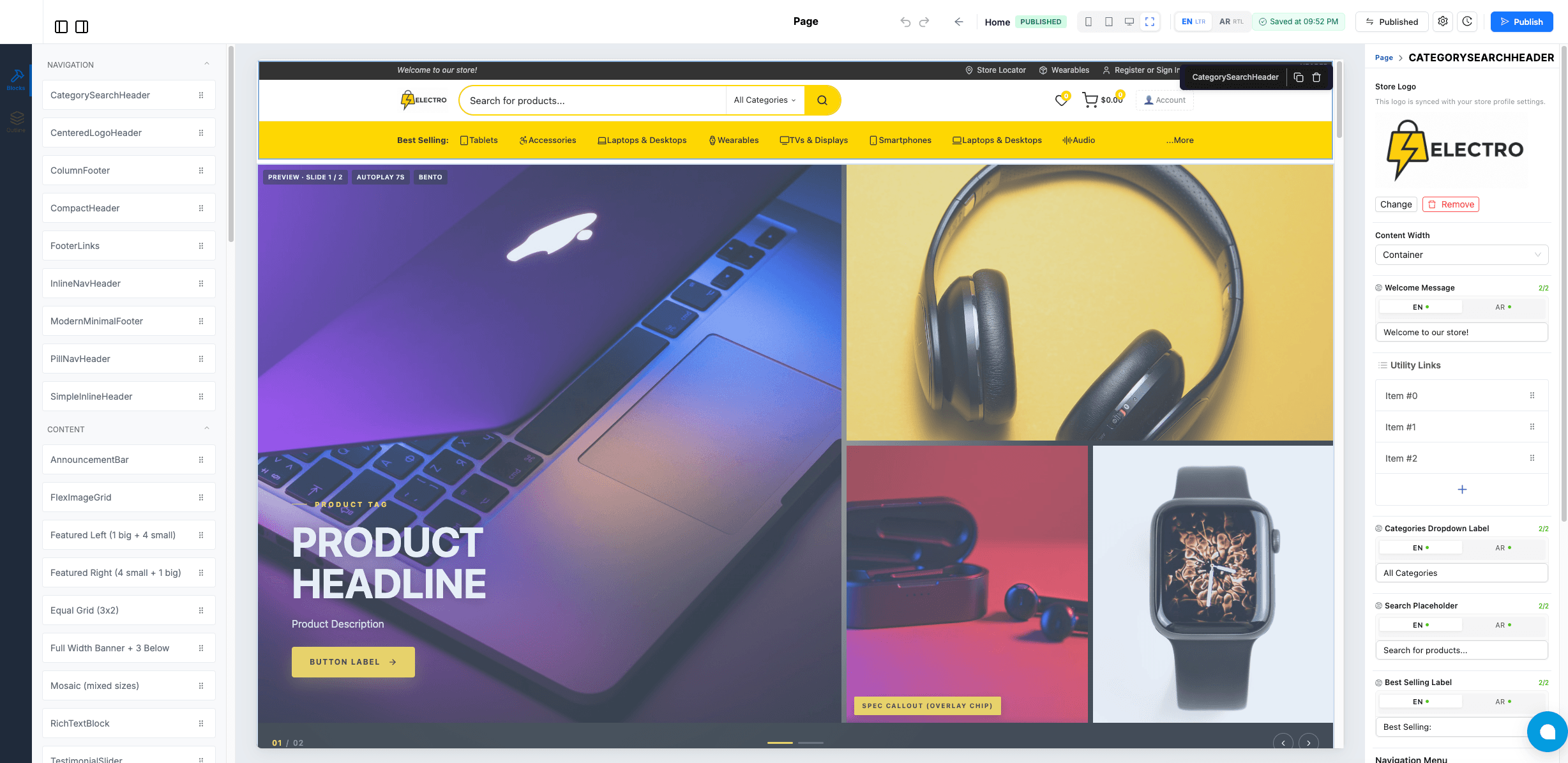
Free Ecommerce Website Builder: Launch a Real Online Store in a Day (No Code, No Trial)
Every “free” builder charges you the moment you want a real store. CartQu includes drag-and-drop blocks, bilingual storefronts, smart catalog pickers, and instant publishing — free, with no credit card.
Read article